PC gaming setup – how to keep your desk clean and tidy
If you want to set yourself up with a clean and tidy PC gaming setup, check out our tips for creating a system that's clutter-free and efficient.

Published by Mason @ PC Game Spotlight 3 years ago
While you might have your own tips for keeping your PC gaming den neat and tidy, we highlight some important points that are often missed. By reading these tips, you can hopefully avoid the clutter altogether or clear it up easily if your setup starts to get messy.
Choosing the right desk is key: I shudder when I look back to my desk from my messy PC gaming days. It reflected my messy habits, but more importantly, it meant that I never had room for my peripherals and was forever hooking cables around my feet. Of course, you need the right chair and a decent PC, but I was so focused on the desk itself, I forgot to consider the key component.
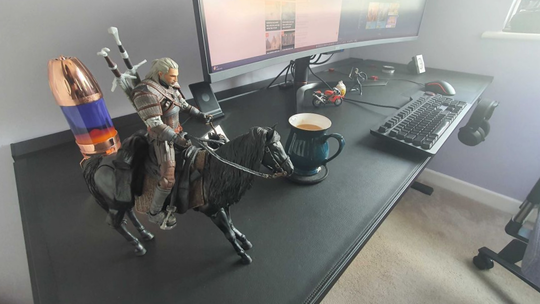
You don’t have to splash the cash on a gaming desk, of course, and while ones with extra space and cable management are nice, any flat top will do, and it just needs to fit your PC, keyboard, and gaming mouse. My desk is the SecretLab Magnus Pro XL PC gaming desk and it’s spanned and super sturdy, plus it has cable management, lots of space, and can be used as a sit/stand desk. These extras serve a purpose, keeping cables tidy and out of the way, which prevents them from hooking around my feet and causing annoyance and spills.
Think hard about how you can store items: The best desk in the world isn’t going to help with your clutter if you fill it with stuff. I get it, books are pretty, and it feels like a crime to put them away (especially if you like having them out on display), so it’s always better to find storage solutions that keep them on display.
Make sure to consider how are you going to store different types of items, in the event that you need to reorganize if you begin to tidy things. Think outside the box, do you really need a table to store keyboard, mouse, headset, and controller chargers? SecretLab have a great range of cable management packages, which come with cables, cable clips, and cable rings, so you can detangle and organize your cables in seconds.
Keep your cables tidy: Failing to invest in cable management will rapidly lead to cables everywhere. You could at least make sure that they are in a neat jumble on a console or under your desk, but they will serve to trip you up. A self-proclaimed mess-maker since birth, it wasn’t until I bought cable ties and began to retain any remaining self-respect that my setup cleared up.
Choosing the right gear is important, make sure you buy quality cables and high-end accessories, so that when you stop using them, you have to throw them out instead of retiring them to a landfill. Consider what you need, use, and will realistically use. Do you really need three hub adapters?
Declutter regularly: As much as I hate to break it to you, your PC isn’t a magical machine that creates clutter from nowhere. You, yourself, are the decluttering culprit, so even if you keep your peripherals and cables tidy, that can only go so far if you pile up your own books, investment guides, and legal documents.
Making sure you declutter regularly and delicately can help you avoid most of the clutter that you’d experience from creating and removing work. Remember, lose one of these items and all that goes with it is not very pleasant. Handle items with care, check them regularly and use better storage solutions than stacking up piles.
Choose items wisely: When you’re getting all the bits and pieces of your PC gaming setup, whether that’s keyboards, mice and the like, or other PC accessories, make sure you’re picking because they’re needed and will serve a purpose. In the same vein, don’t pick things up out of a desire to have them “just in case.”
If you see something you like, that’s great, if you can find a use for it, test it and make sure it’s right for you. Don’t get items ‘just because’, or else your desk will become a disorganized clutter carousel. Try to pick stylish items and narrow things down to one or two products within a category