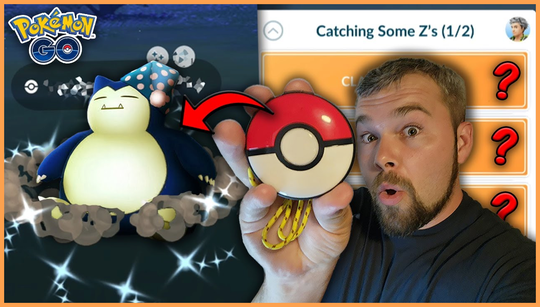

With the Pokemon Go Plus +, you can track your sleep and optimize your gameplay
Want to know if the Pokemon Go Plus + sleep tracking feature is any good? The Pokemon Go Plus + device isn’t just for catching Pokemon and spinning PokeStops, as it can help you monitor your sleep habits too. By pairing the wearable with your smartphone, the Pokemon Go Plus + can collect data using its built-in accelerometer and analyze your movements to determine when you’re asleep and when you’re awake.
Pokemon Go Plus + sleep tracking can help you understand your sleep patterns
Pokemon Go Plus + sleep tracking can help you understand your sleep patterns, and it can even provide insights into how your sleep habits may be affecting your Pokemon Go gameplay. For example, if you tend to catch more Pokemon at night, you might notice that your catch rate plummets during certain times of the day, when you’re more still than usual. By tracking your sleep with the Pokemon Go Plus + device, you could plan your next Pokemon-catching adventure around your most active sleep periods.
Pokemon Go Plus + sleep tracking features
The Pokemon Go Plus + sleep tracking feature works by monitoring your movements throughout the night using its built-in accelerometer. It will track your movements and analyze them to determine when you’re asleep and when you’re awake.
The device can also monitor the duration and quality of your sleep by detecting periods of restlessness and stillness. So, for example, if you move around a lot during your sleep, the Pokemon Go Plus + will register this as an active period and record it as such.
The Pokemon Go Plus + sleep tracking feature is only available if you’ve paired the device with your smartphone, so make sure you’ve followed our Pokemon Go Plus + pairing guide first. Once paired, you’ll be able to view your sleep data in the Pokemon Go app by accessing the sleep tracking section. Here, you’ll be able to see detailed information about your sleep patterns, including the duration and quality of your sleep.
Pokemon Go Plus + sleep tracking tips
The Pokemon Go Plus + sleep tracking feature is pretty basic and easy to use. However, there are a few things you should keep in mind before viewing your sleep data.
Firstly, keep in mind that this sleep tracking feature is not a substitute for professional sleep monitoring or medical advice. It is simply a tool that can provide you with some basic insights into your sleep patterns.
Secondly, if you’re planning on using the sleep tracking feature, it’s a good idea to enable it in the Pokemon Go app settings. To do this, simply go to the app’s settings menu and look for the sleep tracking option. Once enabled, the Pokemon Go Plus + will start collecting sleep data automatically.
Last but not least, it’s worth noting that the Pokemon Go Plus + sleep tracking feature may not work correctly if you’re sharing a bed with another person. Due to the device’s limited range, it may not be able to detect your movements if you’re sleeping too close to it.
That’s everything you need to know about the Pokemon Go Plus + sleep tracking feature. While the device’s sleep tracking feature may be basic, it could still prove to be a helpful tool, especially if you plan on optimizing your gameplay by planning your Pokemon-catching activities around your most active sleep periods. Who knows, you may even see your sleep patterns reflected in your Pokemon Go achievements.