
Steam Deck Startup Movies
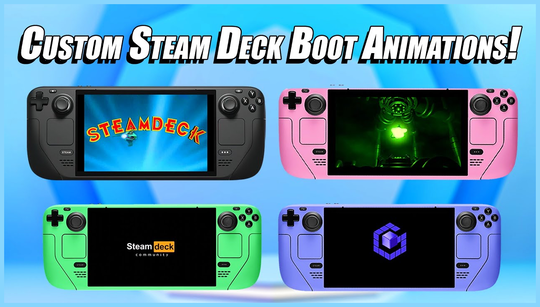
Looking for new Steam Deck boot animations? Valve has recently updated the startup movies for the portable gaming device in its Steam Points store. Now, you have the option to personalize your Steam Deck even further by downloading new startup movies.
It's important to note that your choice of startup movies will not affect the range of Valve games and experiences available on the handheld. However, by visiting the Steam Points store, you can add a personal touch to your device.
To download any of Valve's new Steam Deck startup movies, simply head to the Steam Points store. There, you will find a variety of pre-made movies available for instant download.
Once you have selected a movie, it will automatically appear as an option when your device boots up. Depending on your preference, the chosen startup movie will play alongside or replace the standard SteamOS logo.
In addition to the pre-made movies, the Steam Points store also provides instructions on how to create your own custom boot animations and the required file format. Steam Deck startup videos must be in WebM file format. Therefore, you must ensure that your files are correctly named and converted before uploading them to the store.
After transferring your custom boot animation file(s) to your Steam Deck using USB or other file transfer methods, navigate to the settings menu using the quick menu. From there, you can select your preferred startup movie.
If you have a custom boot animation, it will play once you have selected it. The chosen file will then play every time you power on or restart your Steam Deck.
Keep in mind that these startup movies are not necessary for a trouble-free experience, so there is no need to purchase cards to improve performance. However, they provide a fun way to add personality and personalize your Steam Deck experience.